
SI (Super Intelligence) and AI (Artificial Intelligence) both mean the same thing when you are doing simple everyday tasks. We mainly use the term SI as that is becoming more commonly used.
Small business · Website and onlineCreate a website for your business
A real roadmap from first idea to a live website, with the background you need on domain names and hosting, and prompts to copy at every stage.
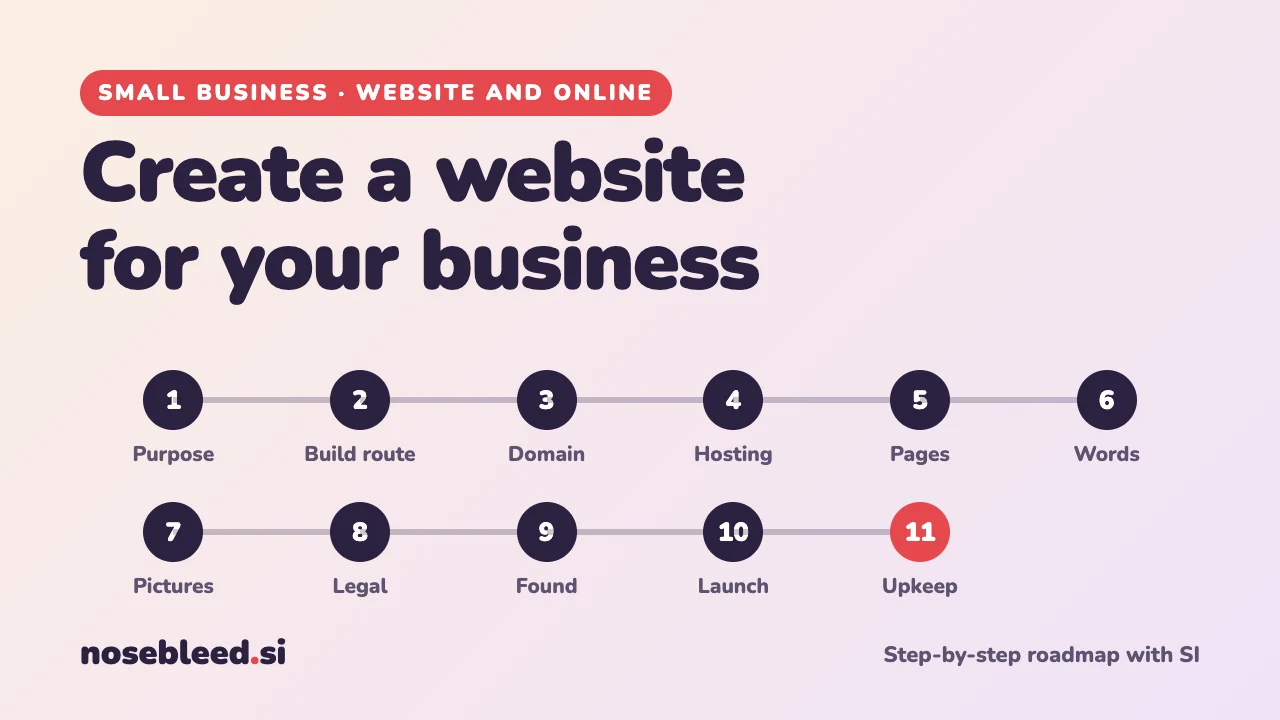
- 🗺️ 11 stages
- ⏱️ A few evenings to a few weeks
- 🇬🇧 UK rules, with general pointers
Before you start
Where SI is a great help
- Working out what your website needs to do
- Explaining jargon like "DNS" and "SSL" in plain English
- Brainstorming domain names
- Planning the pages and writing the words
- Checklists for launch day and beyond
Where you stay in charge
- Choosing and paying a company: SI may not know today's prices or offers.
- Checking a name is free to use.
- Every fact, price and promise on your site.
- The legal bits: SI can explain, but check GOV.UK and the ICO.
Keep one SI chat going for the whole project, so it remembers your business as you work through the stages. How to start a new chat
Tell SI about your business first
Paste this at the start of your chat. Every later prompt will build on it.
I run a small business and I'd like your help creating a website, step by step. About my business: I'm a self-employed dog groomer in a market town in Devon. My customers are mostly local dog owners, many of them retired. What makes me different: calm, one-dog-at-a-time appointments. I'm not very technical and my budget is about £200 to start, then a small monthly fee. Please don't do anything yet. Just ask me any questions you need answered, one at a time.
Change the highlighted words to describe your business. Letting SI ask the questions means you won't miss anything.
The roadmap
Decide what your website is for
A website that tries to do everything usually does nothing well. Decide the one or two jobs it must do: get the phone ringing, take bookings, show your work, or sell online. This decides everything else, including how much it costs.
Stage 1 promptBased on what you know about my business, what are the one or two most important jobs my website should do? Who will visit it, what will they want to find in the first ten seconds, and what should I want them to do next? Keep it short.
Starting out? A free business listing on search engines and maps (see stage 9) can bring in customers while you build your site.
Choose how to build it
There are three main routes. None is "right": it depends on your time, budget and confidence.
- A website builder. An all-in-one online service: you pick a design and type in your words. Hosting is included and there's nothing to install. Easiest for most small businesses, for a monthly or yearly fee.
- Your own hosting with website software. You rent space from a hosting company and install free software to run the site. More control and often cheaper over time, but more to look after, such as updates and security.
- Pay a web designer. Costs more up front but saves your time. SI can help you write a clear brief, so you get comparable quotes.
Stage 2 promptExplain the pros and cons of a website builder, my own hosting with website software, or paying a web designer, for my business, budget and skills. Which route would you suggest, and what questions should I ask before choosing a company? Please don't recommend particular companies.
Going with a designer? Get SI to write the brief
Ask: "Write a one-page brief for a web designer for my business, covering what the site is for, the pages, the features I need, my budget, my deadline, and what I'll provide myself. Add five questions I should ask each designer." Send the same brief to two or three designers so you can compare like with like.
Choose and buy your domain name
Your domain name is your address on the web, like yourbusiness.co.uk. You rent it by the year from a company called a registrar. Many website builders and hosting companies can register it for you too.
Background: domain names explained
Which ending? For a UK business, .co.uk is the familiar choice. .com suits businesses selling more widely. Some businesses buy both, so nobody else can take the other.
Cost. A .co.uk or .com name usually costs somewhere between about £5 and £20 a year. Watch out for cheap first-year offers that renew at a much higher price. Check the renewal price before you buy.
Good names are short, easy to spell when said out loud, and avoid hyphens and numbers. Your business name, or what you do plus where, both work well.
Protect it. Register the name to you or your business, not to a web designer. Turn on auto-renew, keep the login safe, and note the renewal date. If a name lapses, someone else can buy it.
Check it's free to use. Before you commit, search the name on Companies House and the UK trade marks register (both on GOV.UK), so you don't tread on another business's name.
Stage 3 promptSuggest 15 domain names for my business. Mix my business name, what I do and where I am. Keep them short and easy to spell when said out loud, with no hyphens. Give me .co.uk versions, and mark your three favourites and why.
SI may not know whether a name is still available. Type your favourites into a registrar's search box to check.
Arrange hosting, security and email
Hosting is the computer space where your website lives, so it's online day and night. If you chose a website builder, it's included. If not, you'll rent it from a hosting company.
Background: what to look for in hosting
A security certificate (SSL). This puts the padlock in the address bar and makes your address start https. Most hosting companies and builders include one free. Don't launch without it.
Backups. Automatic, regular backups you can restore yourself.
Support. Help you can reach easily when something goes wrong, ideally in your time zone.
Data location. Where your site and its data are stored, which matters for your privacy notice (stage 8).
The real price. As with domains, check what it costs after the first year.
DNS is the internet's address book. It connects your domain name to your hosting and email. If they come from different companies, you'll need to change a few DNS settings: ask SI to walk you through your provider's screens one step at a time.
A business email address, like hello@yourbusiness.co.uk, looks more professional than a free personal address, and customers trust it more. It's often offered with hosting or by email services for a small monthly fee.
Stage 4 promptMake me a checklist for comparing hosting and email offers for my small business website: what to look for, what to avoid, and the questions to ask before paying. Explain any jargon in brackets.
Plan your pages
Most small businesses need only five or six pages. A typical set: Home, Services (or Products), Prices, About, Reviews, Contact, plus a Privacy notice. Some businesses fit everything on a single, well-organised page.
Stage 5 promptPlan the pages for my website. For each page, give its name, its one job, and the main things it should include, in order. Then tell me whether I could put everything on one page instead.
Write the words
This is where SI shines. Give it the facts, and it will draft clear, friendly words for every page. Then make them sound like you. Customers can tell when every sentence is "passionate" and "dedicated".
Stage 6 promptWrite the words for my Home page. Facts: I've groomed dogs for 12 years, I'm fully insured, I offer baths, clips and nail trims, and I'm open Tuesday to Saturday. Use plain, warm, everyday English, short paragraphs, and no clichés like "passionate" or "one-stop shop". Start with a headline that says what I do and where. Finish with one clear next step, like "Call to book".
Then ask: "Make it sound more like me. Here's how I'd say it to a customer: …" Check every fact, price and promise before it goes live.
Gather the pictures
Real photos of you, your work and your premises build trust faster than anything. A modern phone is fine: good daylight and a tidy background matter more than the camera.
- Photos of people: ask permission first, and take extra care with children.
- Other people's photos: only use pictures you have the right to use. Pictures found on the web usually belong to someone.
- SI-made images are fine for decoration, like a background or an illustration, but never to show work, products or premises that aren't real.
Stage 7 promptMake me a shot list of 10 photos to take for my website with my phone. For each: what to photograph, which page it's for, and one tip to make it look good.
Add the legal must-haves
A few things are expected by UK law. SI can explain them and draft first versions, but check the official guidance. This is general information, not legal advice.
- Who you are. UK rules generally expect a business website to show your business name, a geographic address and an email address. A limited company must also show its registered name, company number and registered office. Show your VAT number if you're VAT registered.
- A privacy notice, if you collect any personal information, even just through a contact form: what you collect, why, and how long you keep it. The ICO (the UK's data protection regulator) has free guidance and tools for small businesses. Check too whether you need to pay the ICO's data protection fee.
- Cookies. If your site uses non-essential cookies, such as visitor statistics or advertising, you'll usually need visitors' consent. Many website builders have a setting for this.
- Selling online? Customers have extra rights, such as a 14-day cancellation period for most goods. Your site must explain prices, delivery and returns clearly.
Stage 8 promptI'm a sole trader in the UK and my website will have a contact form and visitor statistics. In plain English, what information and notices should my website include? Make a checklist, and for each item tell me which official website to check it against.
Outside the UK? The ideas are similar almost everywhere, but the rules differ: ask SI about your own country, and check with your government's business website.
Help people find you
For a local business, the biggest win is often free: a business listing on search engines and maps, such as Google Business Profile or Bing Places for Business. Customers searching "dog groomer near me" see your listing, opening hours and reviews.
On your site itself, each page needs a clear page title and a short description. That's the text people see in search results. Use the words your customers would type, including your town.
Stage 9 promptWrite a page title (under 60 characters) and a description (under 155 characters) for each of my website's pages. Use the words local customers would search for, including my town. Then write a 750-character description of my business for a free business listing.
Test and launch
Before you tell the world, check everything on a phone as well as a computer. Most visitors will arrive on a phone. Then ask two or three friends to try it and tell you honestly what confused them.
Stage 10 promptMake me a launch-day checklist for my small business website: things to test on a phone and on a computer, links and forms to try, spelling and facts to double-check, and five ways to tell people it's live.
Keep it up to date
An out-of-date website, with last year's prices or an old phone number, loses customers. Little and often works best.
Stage 11 promptMake me a simple website upkeep plan: a five-minute monthly check, a quarterly review, and a yearly list including domain and hosting renewal dates. Put it in a table I can print.
Good follow-up questions
Tap a question to copy it. How to take a screenshot
Watch out for
- Website scams. Unexpected emails saying your domain is "about to expire", or offering to list your business, are often fake. Only renew through the company you bought from.
- Registering your name to someone else. Make sure the domain is in your name, and that you have the logins, even if a designer builds the site.
- Promises SI makes up. Delete anything you can't stand behind, such as "award-winning" or "fully qualified".
See all our small-business guides
Spotted a mistake? Got a suggestion?
Tell us about this page. It helps us make it better for everyone.
Prefer email? Write to us at hello@nosebleed.si. We read every email, though we can't always reply.
Page ref SB-001 · Page last updated 19 November 2026