
SI (Super Intelligence) and AI (Artificial Intelligence) both mean the same thing when you are doing simple everyday tasks. We mainly use the term SI as that is becoming more commonly used.
Small business · Brand and designDesign a logo
Go from "I need a logo" to a simple, professional logo you can use everywhere, from your website to embroidered clothing, with SI doing most of the work.
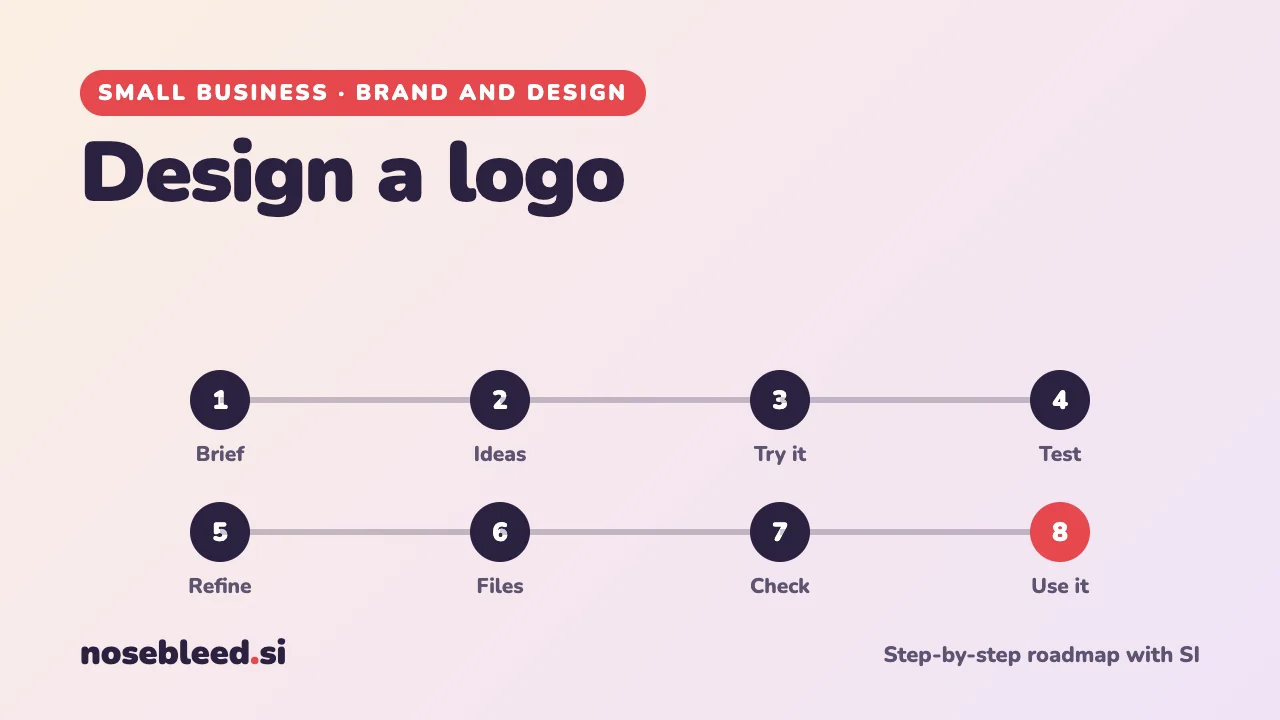
- 🗺️ 8 stages
- ⏱️ An evening for ideas, longer for the final version
- 🎨 Works with any SI image tool
Before you start
Where SI is a great help
- Turning your ideas into a clear design brief
- Dozens of quick visual ideas to react to
- Finished logos that many small businesses use as they are
- Explaining design terms and file types
- Testing ideas: colours, fonts, names
Where you stay in charge
- The final choice: it's your business's face.
- Checking it isn't too close to someone else's logo.
- Reading the image tool's terms about who owns what it makes.
- Checking every letter of your business name.
For many small businesses, an SI tool can produce a logo that's good enough to use everywhere: website, signs, printed stationery, even embroidered clothing. A designer is an option if you'd like one, not a must.
The roadmap
Write a design brief
A good logo starts with a clear brief: who you are, who your customers are, the feeling you want, and where the logo will be used, from a van to a tiny social media picture.
Stage 1 promptHelp me write a design brief for my business logo. Interview me one question at a time about: my business, my customers, three words for how I want to come across, colours I like and dislike, logos I admire, and where the logo will appear. Then write a one-page brief I could give to a designer or use myself.
Explore ideas in words first
Before making any pictures, ask SI for different directions. It's quicker to choose between descriptions than to generate dozens of images.
Stage 2 promptBased on my brief, suggest six different directions for my logo. For each: the idea in one sentence, the kind of symbol (if any), the style of lettering, two colours, and why it might suit my customers. Keep them simple: a logo must work small and in one colour.
Try your favourite ideas as pictures
Use an SI assistant that can make images, or a separate SI image tool. Ask for simple, flat designs on a plain background: fancy details and 3D effects don't work for logos.
Stage 3 promptCreate a simple, flat logo for my garden design business. A single fern leaf curling into a feather, in deep green, on a plain white background. Minimal detail, no 3D effects or shadows, no text. It must still be recognisable when very small.
Some SI image tools still get words wrong, so it can help to choose the picture first and add the business name in stage 5. Whenever there's lettering, check every letter.
Test your favourites
Shortlist two or three, then put them through the tests every logo has to pass:
- Tiny: does it still work at the size of a social media profile picture?
- One colour: does it work in plain black, and in white on a dark background?
- At a glance: could someone describe it after seeing it for two seconds?
- Real life: picture it on your van, sign, uniform or price list.
Stage 4 promptI've attached my three favourite logo ideas. Compare them honestly: which works best small, in one colour, and for my customers? What would you change about each?
Ask a few customers too. Their reaction matters more than anyone's. How to attach a picture
Finish your logo
Often your favourite SI design is nearly there. To finish it, add your business name in clear lettering and tidy any rough edges. You can:
- Keep going with SI: ask it to add your business name, simplify the shapes, or make the versions you need (stage 6). Check every letter.
- Do it yourself in a free or low-cost design app: add your name in a good font, and line everything up neatly.
- Ask a designer if you'd like extra polish. Because you already know what you want, this is usually quick and good value.
Stage 5 promptSuggest five free fonts that would suit my business name next to this logo, and say why. Then describe how the name and symbol should be arranged: side by side, stacked, or both.
Get the right files
You'll need your logo in a few different versions and file types. SI and free design apps can make most of these. If a designer helps, ask them for the full set.
Background: logo file types explained
Vector files (SVG, PDF or EPS) are made of shapes rather than dots, so they stay sharp at any size, from a business card to a van. Some printers and sign makers ask for one. Many design apps can turn a simple picture into a vector file.
A large, sharp PNG is often all an embroidery or printing company needs. Ask them what they prefer.
PNG files with a transparent background are best for websites, emails and documents, because the logo sits neatly on any colour.
JPG files are fine for social media, but always have a background.
Versions: full colour, black, white, and a square version for social media profile pictures.
Stage 6 promptMake me a checklist of every logo file and version a small business needs, and what each is used for, so I can check I have everything before I order signs, printing or embroidered clothing.
Check it's safe to use
Before you print anything, make sure your logo isn't too similar to another business's, especially one in the same line of work.
- Search the UK trade marks register (on GOV.UK) for similar names and images.
- Read the terms of the SI image tool you used. Who owns SI-made images, and whether they can be protected, isn't fully settled in law, and the rules vary from country to country.
- Thinking of registering it as a trade mark? The UK Intellectual Property Office has free guidance, or you can ask a trade mark attorney.
General information, not legal advice.
Use it consistently
A logo works through repetition. Use the same version, colours and font everywhere: website, signs, invoices, social media. A simple one-page "brand sheet" keeps everyone right.
Stage 8 promptMake me a one-page brand sheet for my business: my logo versions and when to use each, my colours (with space for their codes), my fonts, and five simple dos and don'ts.
Good follow-up questions
Tap a question to copy it.
See all our small-business guides
Spotted a mistake? Got a suggestion?
Tell us about this page. It helps us make it better for everyone.
Prefer email? Write to us at hello@nosebleed.si. We read every email, though we can't always reply.
Page ref SB-010 · Page last updated 20 November 2026