
SI (Super Intelligence) and AI (Artificial Intelligence) both mean the same thing when you are doing simple everyday tasks. We mainly use the term SI as that is becoming more commonly used.
Small business · Protect your businessPlan for when things go wrong
Make a simple plan that keeps your business going when something goes wrong, from illness or a broken laptop to a flood or losing a big customer.
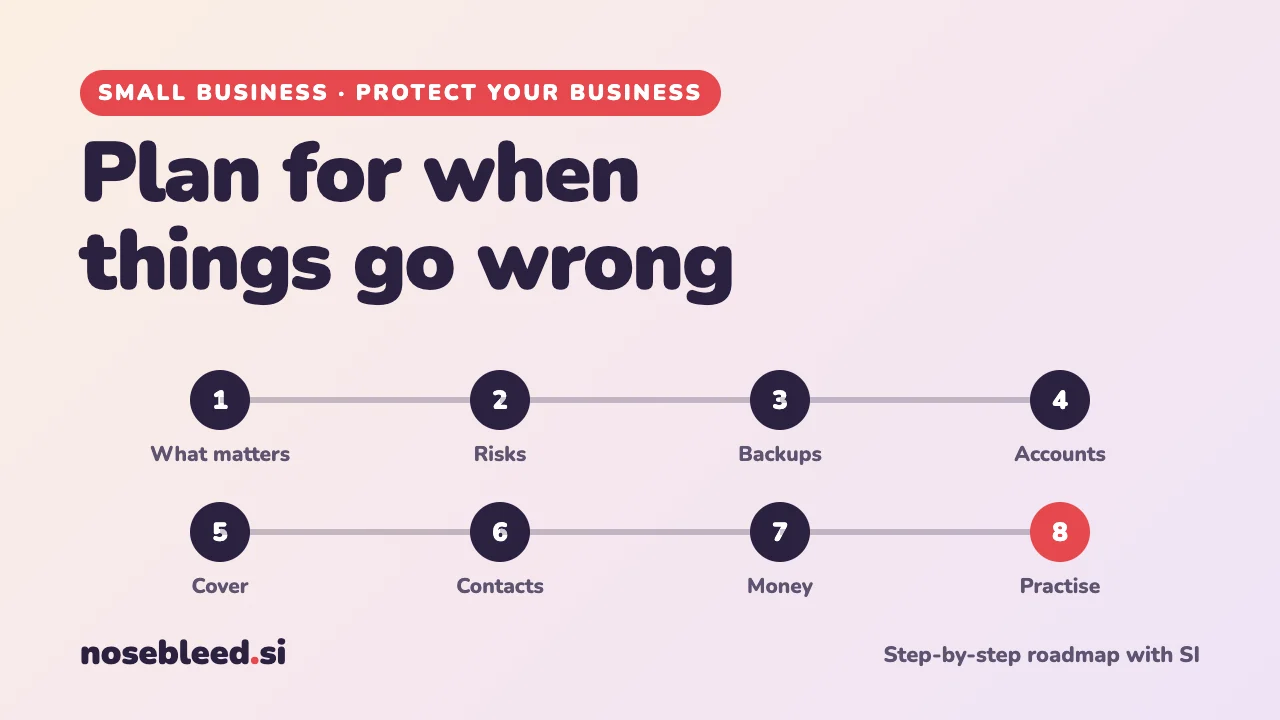
- 🗺️ 8 stages
- ⏱️ An afternoon, then a yearly check
- 🛟 Works for any size of business
Before you start
Where SI is a great help
- Thinking through what could go wrong
- Turning worries into simple, practical steps
- Checklists and a one-page plan
- Instructions for someone stepping in
Where you stay in charge
- Knowing what really matters in your business.
- Doing the backups, and testing them.
- Keeping passwords out of SI chats.
- Checking your insurance covers what you think.
Small businesses often depend on one person, one laptop or one big customer. A little planning now makes a bad day much less bad.
The roadmap
Work out what matters most
What must keep going for your business to survive a bad week: taking bookings, answering customers, getting paid, a key piece of equipment? Start there.
Stage 1 promptI run a one-person bookkeeping service from home. Help me work out what my business can't do without for more than a few days: tasks, information, equipment, people and money. Ask me one question at a time, then make a short list in order of importance.
List what could go wrong
Think of the everyday as well as the dramatic: you're ill, your phone or laptop breaks, an account is hacked, the power or internet goes, a flood or fire, a theft, a key supplier fails, or your biggest customer leaves.
Stage 2 promptList the ten things most likely to disrupt a business like mine. For each, how likely is it, how badly would it hurt, and one simple thing I could do now to make it less damaging? Put the most important first.
Back up everything important
If your laptop or phone disappeared today, what would you lose? Keep copies of important files, customer details and records somewhere else too, such as cloud storage and an external drive, and check now and then that you can get them back.
Stage 3 promptHelp me set up simple, automatic backups for my small business. I use a Windows laptop and an iPhone. Explain my options in plain English, step by step, and how to test that a backup really works. Don't recommend a particular company.
Make sure you can get back into your accounts
Being locked out of your email, bank or website can stop a business dead. Set up two-step sign-in, keep recovery details up to date, and use a password manager. Write down where to find recovery codes, but keep the codes themselves safe.
Never type passwords or recovery codes into an SI chat. The National Cyber Security Centre's free Small Business Guide is a good place to start. Search "NCSC small business guide". See also Spot scams against business.
Arrange cover for when you can't work
Who could answer the phone, tell customers what's happening, or keep the basics going if you're ill or away? Agree it with them now, and write simple instructions.
Stage 5 promptHelp me write a simple "if I'm suddenly unable to work" guide for a trusted helper. What they need to know, what to tell customers, what to leave alone, and where things are kept. No passwords: just where to find them. Then write a short message they could send to customers.
Keep a list of key contacts
When something goes wrong, you need numbers fast: your insurer, bank, landlord, internet provider, key suppliers, your accountant, and someone who can help with IT. Keep a copy on paper as well as on your phone.
Stage 6 promptMake me a one-page emergency contacts sheet for my small business, with the kinds of contacts I'll need when things go wrong, and blank spaces for names, numbers and policy or account references.
If you're in an area at risk of flooding, you can sign up for free flood warnings. Search "flood warnings" for your part of the UK.
Build a money cushion
A few months of running costs set aside can carry you through a quiet spell, an illness or a lost customer. And if one customer brings in a big share of your income, start looking for more.
Stage 7 promptMy monthly running costs are about £800 and my biggest customer brings in 40% of my income. Help me think through how to build a cash cushion, and practical ways to depend less on one customer. Use only my figures.
Check your insurance too: what it covers, what it doesn't, and whether it includes loss of income.
Write it down, and practise
Put it all on one or two pages, and keep a paper copy. Once a year, pick one thing from your list and walk through what you'd do. You'll spot gaps while it's still easy to fix them.
Stage 8 promptFrom everything we've discussed, write my one-page "when things go wrong" plan: what matters most, the main risks and what I'll do for each, where my backups are, who can step in, and my key contacts. Then suggest one "what if" to practise this year.
Good follow-up questions
Tap a question to copy it.
Watch out for
- Backups you've never tested. Try getting a file back, before you need to.
- A plan only you can find. Make sure your helper knows where it is.
- Scammers who strike in a crisis. Be extra careful with "urgent" calls and emails when things are already going wrong.
See all our small-business guides
Spotted a mistake? Got a suggestion?
Tell us about this page. It helps us make it better for everyone.
Prefer email? Write to us at hello@nosebleed.si. We read every email, though we can't always reply.
Page ref SB-027 · Page last updated 21 November 2026