
SI (Super Intelligence) and AI (Artificial Intelligence) both mean the same thing when you are doing simple everyday tasks. We mainly use the term SI as that is becoming more commonly used.
Small business · MarketingWrite an email newsletter
Send a short, friendly newsletter your customers look forward to, legally and in your own voice, in about an hour a month.
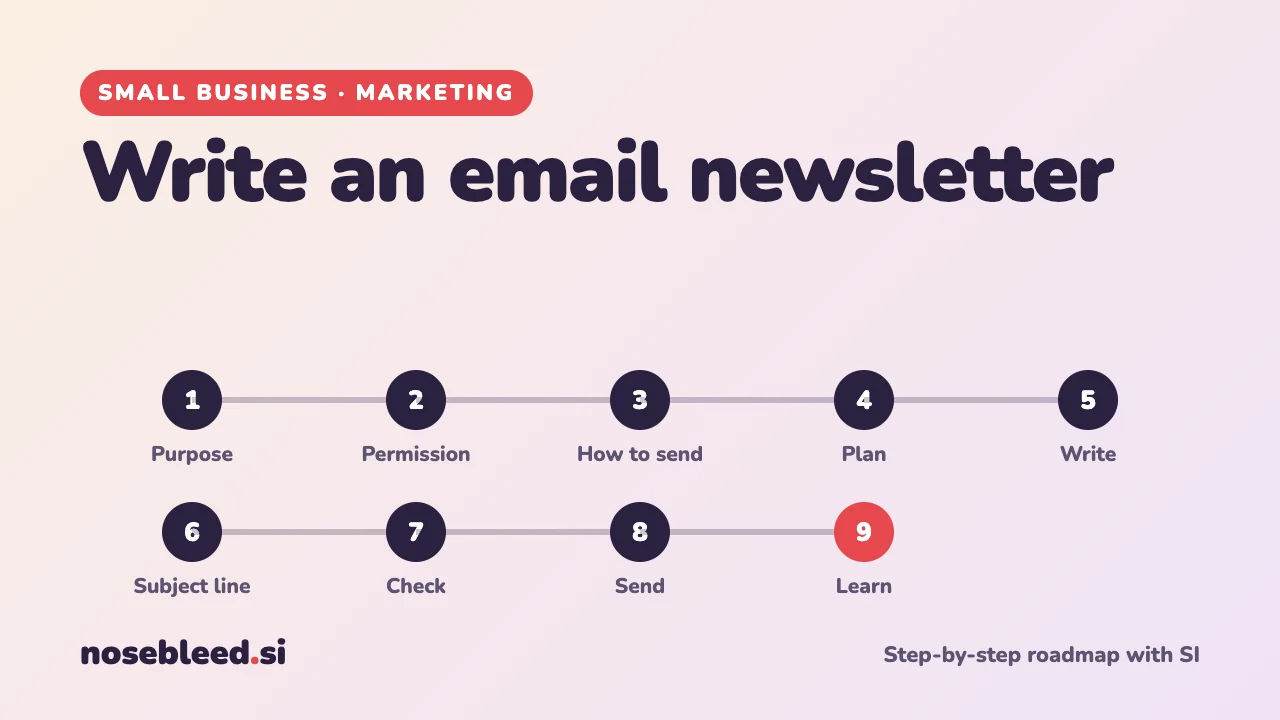
- 🗺️ 9 stages
- ⏱️ About an hour a month
- ✉️ Works with any email newsletter service
Before you start
Where SI is a great help
- Ideas for what to write about, month after month
- First drafts in a warm, friendly tone
- Subject lines that get emails opened
- Making long emails short
Where you stay in charge
- Who you send to, and having their permission.
- Every fact, price and date.
- Your voice: it should sound like you.
- Never pasting your mailing list into SI.
Tell SI about your business first
I run a small garden centre. My customers are mostly local people who love their gardens, many of them retired. I'd like to send a monthly email newsletter that people enjoy reading and that brings them back to see us. Please help me step by step, and ask me anything you need to know first.
The roadmap
Decide what it's for
A good newsletter is mostly useful or interesting, with a little selling. Decide what you want readers to do: visit, book, buy, or simply remember you.
Stage 1 promptSuggest what my newsletter could regularly include that my customers would genuinely enjoy: tips, news, behind the scenes, seasonal ideas, offers. Then suggest a simple, repeatable layout I could use every month.
Get permission
In the UK, marketing emails to individuals generally need their permission. The exception, the "soft opt-in", covers existing customers who bought something similar from you and were given a simple way to say no when you collected their details. Every email must say who it's from and include an easy way to unsubscribe.
Stage 2 promptWrite a short, friendly sign-up invitation for my newsletter, for my website, my counter and my receipts. Say clearly what people will get and how often, and that they can unsubscribe at any time.
General information, not legal advice. See stage 6 of Keep customer information safe, and the ICO website.
Choose how to send it
Use an email newsletter service rather than your ordinary email. It keeps your list private, adds the unsubscribe link for you, handles people leaving, and shows you how many people opened it. Many have a free plan for small lists.
Background: what to look for in a newsletter service
Ease of use: a simple editor where you drag in text and pictures.
Sign-up forms you can add to your website.
Cost as your list grows: most charge by the number of contacts.
Where it keeps your data: check its privacy information.
Stage 3 promptI'm choosing an email newsletter service for a small business with about 200 contacts. Suggest three good ones, and explain how I might compare them: which features matter most for a beginner, and what questions to ask.
Never put a whole mailing list in the "To" or "Cc" box of an ordinary email: everyone would see everyone else's address.
Plan a few months ahead
A simple plan stops the "what shall I write?" panic. Note seasons, events, new stock and anything happening locally.
Stage 4 promptPlan my next six monthly newsletters, starting in January. For each month: a main story, a useful tip, one piece of news or an offer, and a photo idea. Leave [gaps] for my own dates and prices.
Write it
Keep it short: most people read emails on a phone. One main story, a couple of smaller bits, and one clear thing to do next. Write as if to one customer.
Stage 5 promptWrite this month's newsletter from my notes: [paste your notes]. Under 300 words, warm and friendly, written as if to one customer. One main story, two short items, and one clear thing to do next. Use only the facts in my notes.
Give SI an email you've written yourself and ask it to match your style.
Write a subject line people open
The subject line decides whether your email is read. Short, specific and honest works best. Avoid shouting, lots of exclamation marks, or anything that sounds like spam.
Stage 6 promptSuggest ten subject lines for this newsletter, each under 50 characters: some practical, some friendly, some curious. Nothing pushy or misleading. Then suggest the short preview line that appears after the subject.
Check before you send
- Facts: dates, prices, opening times and links.
- Send a test to yourself and open it on a phone.
- Who it's from: your business name, and how to contact you.
- Unsubscribe link: it's there, and it works.
Stage 7 promptRead this newsletter as a busy customer on a phone. What's unclear, too long or missing? Is there one obvious thing to do next? [paste it]
Send it at a good time
Pick a regular time that suits your customers, such as a weekday morning, and stick to it so readers know when to expect you. Once a month is plenty for most small businesses.
Learn what works
Your newsletter service shows how many people opened it, clicked a link, or unsubscribed. Look at the figures over a few months, not just one, and do more of what people liked.
Stage 9 promptHere are the figures from my last three newsletters: [subject line, opens, clicks and unsubscribes for each]. Explain what they tell me in plain English, and suggest two things to try next time.
Good follow-up questions
Tap a question to copy it.
What a good answer looks like
Subject: Three jobs for your garden this March
Hello,
The days are getting longer, and the garden is waking up. Here are three jobs worth doing this month, while the soil warms: [tips].
New in: our spring seed potatoes have arrived.
Come and see us: we're open [days and times]. Pop in and say hello.
Why it's good: a specific, useful subject line, short paragraphs, something genuinely helpful first, and one clear reason to visit. The [gaps] are for your own details.
See all our small-business guides
Spotted a mistake? Got a suggestion?
Tell us about this page. It helps us make it better for everyone.
Prefer email? Write to us at hello@nosebleed.si. We read every email, though we can't always reply.
Page ref SB-014 · Page last updated 20 November 2026