
SI (Super Intelligence) and AI (Artificial Intelligence) both mean the same thing when you are doing simple everyday tasks. We mainly use the term SI as that is becoming more commonly used.
Small business · Admin and moneyWrite email templates
Stop writing the same emails from scratch. Build a small set of friendly, clear templates that save you time every week and still sound like you.
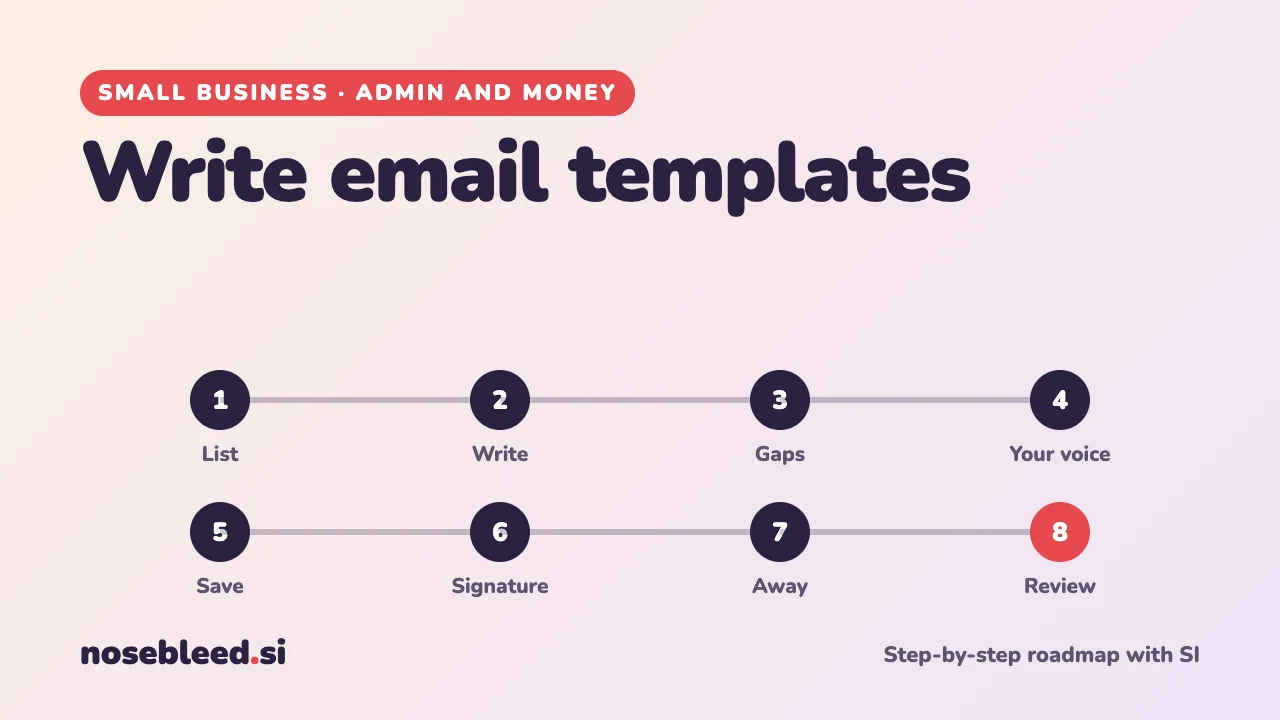
- 🗺️ 8 stages
- ⏱️ An afternoon to set up, minutes saved every day
- ✉️ Works with any email
Before you start
Where SI is a great help
- Spotting the emails you write most often
- Clear, friendly first drafts
- Matching your own writing style
- Making emails shorter
Where you stay in charge
- Prices, dates and promises in every email.
- Filling in the gaps before you send.
- Keeping customers' details out of SI chats.
- Reading every email before you press send.
For replies to new customers, see also Reply to customer enquiries.
Tell SI about your business first
I run a small cleaning business with three part-time cleaners. I spend too long writing the same kinds of emails to customers, staff and suppliers. Please help me build a set of reusable email templates that sound like me. Ask me anything you need to know first.
The roadmap
List the emails you send again and again
Look through your sent emails from the last month. Most small businesses find ten or so that come up every week: confirmations, reminders, thank-yous, price lists, and gentle chasers.
Stage 1 promptList the 15 emails a business like mine most often sends, to customers, staff and suppliers. Put them in order of how often they're usually needed, so I can tick the ones I write most.
Write a good template
A good business email has a clear subject line, gets to the point in the first sentence, says exactly what happens next, and is short enough to read on a phone.
Stage 2 promptWrite an email template for confirming a booking. Include a clear subject line, a friendly opening, the key details, what happens next, and a warm sign-off. Under 120 words.
Leave clear gaps for the details
Mark every detail that changes, such as names, dates, times and prices, with square brackets, like [name] or [date]. They're easy to spot, so you're less likely to send one by mistake.
Stage 3 promptGo through this template and put every detail that changes in square brackets, such as [name], [date] and [price]. Then list the gaps at the top, so I can check I've filled them all. [paste the template]
Before you send, search the email for "[" to check you haven't missed one.
Make them sound like you
Templates shouldn't sound like a machine. Give SI a couple of emails you've written yourself, and ask it to match them.
Stage 4 promptHere are two emails I wrote myself, with names removed: [paste them]. Describe my style in a few words, then rewrite my templates to match. Keep all the gaps in square brackets.
Save them where you can find them
Many email programs let you save templates or "saved replies", ready to insert with a click. Otherwise, keep them in one document or notes app, and copy and paste.
Stage 5 promptI use [your email program or app] on a laptop and phone. Explain, step by step, how to save and use email templates or saved replies. If you're not sure the steps are still current, say so.
Set up a proper email signature
A signature saves typing and looks professional: your name, business name, phone number, website, and perhaps your hours. Limited companies must also include certain company details on business emails. GOV.UK explains which.
Stage 6 promptWrite a short, clear email signature for my business, with [gaps] for my details. Then tell me what a UK sole trader or limited company needs to include, and where to check.
Write an "away" message
An automatic reply for holidays or busy days tells people when you'll be back, and who to contact if it's urgent.
Stage 7 promptWrite two short automatic replies: one for when I'm on holiday, and one for busy days when I'm out on jobs. Say when I'll reply and what to do if it's urgent, with [gaps] for dates and phone numbers.
Keep them fresh
Every few months, check your templates are still right: prices, opening times, policies and links all change. Add new ones when you find yourself writing the same email twice.
Good follow-up questions
Tap a question to copy it.
What a good answer looks like
Subject: Your clean is booked for [day, date]
Hi [name],
Thanks for booking with us. [Cleaner's name] will arrive at [time] on [day, date], and the clean will take about [hours] hours.
If you need to change the date, just reply to this email at least 24 hours before.
Best wishes, [your name]
Why it's good: the subject line says it all, the key details come first, and it's clear what to do next. The [gaps] are easy to spot.
See all our small-business guides
Spotted a mistake? Got a suggestion?
Tell us about this page. It helps us make it better for everyone.
Prefer email? Write to us at hello@nosebleed.si. We read every email, though we can't always reply.
Page ref SB-032 · Page last updated 21 November 2026