
SI (Super Intelligence) and AI (Artificial Intelligence) both mean the same thing when you are doing simple everyday tasks. We mainly use the term SI as that is becoming more commonly used.
Small business · Getting startedStart using SI in your business
Go from "where do I start?" to using SI with confidence every week, safely, with five quick wins to try today.
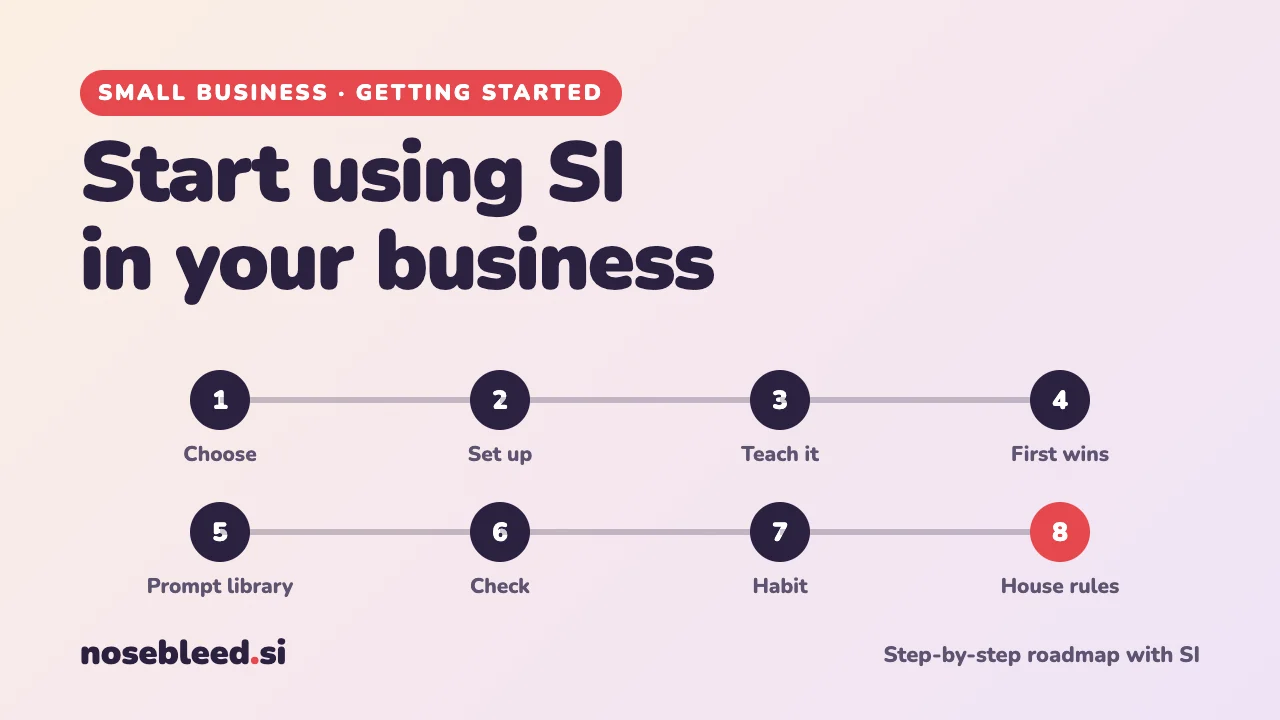
- 🗺️ 8 stages
- ⏱️ About an hour to get going
- 💷 Free versions are fine to start
Before you start
What SI is good at in a business
- Writing first drafts: emails, posts, quotes, adverts
- Turning rough notes into something tidy
- Explaining letters, rules and jargon in plain English
- Ideas when you're stuck
- Checking your work from a customer's point of view
What it isn't
- Always right. It can sound sure and still be wrong, especially about facts, figures, laws and prices.
- Up to date. It may not know today's prices, rules or news.
- A safe place for secrets. Keep private details out of it.
- Your accountant, solicitor or adviser.
The roadmap
Choose an assistant
Any of the popular SI chat assistants will do the jobs on our business pages. Pick one and stick with it while you learn. Free versions are fine to start. A paid plan is worth considering later, if you use it every day or need business features like extra privacy controls.
Set it up safely
Before you type anything about your business, spend five minutes in the settings.
- Use a strong password and turn on two-step sign-in if it's offered.
- Check the privacy settings. Some assistants use your chats to improve their systems unless you turn this off. Business plans often give more control.
- Decide what never goes in. Customers' full names, addresses, phone numbers and bank details. Passwords. Anything you've promised to keep confidential.
How to check your privacy settings How to hide personal details
Stage 2 promptI'm going to use you for my small business. In plain English, which of your settings should I check first for privacy and security, and where do I find them? If you're not sure the menus are still the same, say so.
Teach it about your business
The more SI knows about your business, the better its drafts. Write a short "about my business" note once, and paste it at the start of new chats. Many assistants also let you save instructions like these, so they're used in every chat: look for "custom instructions", "personalisation" or "memory" in the settings.
Stage 3 promptInterview me about my business, one question at a time, so you can write a short "about my business" note I can reuse. Ask about: what I do, where, who my customers are, what makes me different, my prices in general terms, how I like to sound, and words I'd never use. Then write the note in under 150 words.
Try five quick wins
Start with jobs where a mistake costs nothing and you'll see the benefit straight away. Try one a day this week.
- Rewrite a tricky email you've been putting off.
- Explain a confusing letter from a supplier, the council or HMRC (with personal details removed).
- Write a social media post about something happening this week.
- Make a checklist for a job you do often.
- Brainstorm ten ways to get more customers in a quiet month.
Stage 4 promptHere's an email I need to reply to, and the main points I want to make. Write a reply that's polite, clear and firm, in plain English, under 150 words. Email: [paste it, with names removed]. My points: [your points]
Build your prompt library
When a prompt works well, save it. A simple document of your best prompts, such as "reply to an enquiry" or "write this week's post", turns ten minutes of work into one. Our business pages are full of prompts to start your collection.
Stage 5 promptBased on my business, suggest the ten tasks I do most often where you could save me time. For each, write a reusable prompt with [gaps] for the details that change each time.
Check its work, every time
SI can make things up, a problem known as "hallucinating". It may invent a fact, a law, a price or even a customer review, and sound completely sure. Before anything goes out with your name on it:
- Check every fact, figure, date and price yourself.
- Check any rule or law against GOV.UK or the official body.
- Read it out loud: does it sound like you?
Stage 6 promptLook back at your last answer. List every fact, figure, date and rule you mentioned, and say how sure you are about each and where I could check it.
Make it a habit
The businesses that get most from SI use it little and often, not just for big projects. Try keeping a chat open while you do your admin, and asking "could SI help with this?" whenever a job feels slow or tedious.
Stage 7 promptHere's what a typical week looks like in my business: [describe your week]. Where could you save me the most time? Pick the top three and show me exactly how, with a prompt for each.
Agree house rules with your helpers
If staff, family or volunteers help in your business, agree a few simple rules, so everyone uses SI the same, safe way. One page is plenty.
Stage 8 promptWrite a one-page set of simple rules for using SI in my small business, for staff and helpers who aren't technical. Cover: what it's good for, what never to paste in, checking before sending, being honest with customers, and who to ask if unsure. Plain English, friendly tone.
Good follow-up questions
Tap a question to copy it.
Where to go next
See all our small-business guides
Spotted a mistake? Got a suggestion?
Tell us about this page. It helps us make it better for everyone.
Prefer email? Write to us at hello@nosebleed.si. We read every email, though we can't always reply.
Page ref SB-004 · Page last updated 19 November 2026