
SI (Super Intelligence) and AI (Artificial Intelligence) both mean the same thing when you are doing simple everyday tasks. We mainly use the term SI as that is becoming more commonly used.
Small business · Admin and moneyGet ready for your tax return
Get your records, totals and questions ready, so filling in your Self Assessment return is calmer and quicker, with SI explaining each step in plain English.
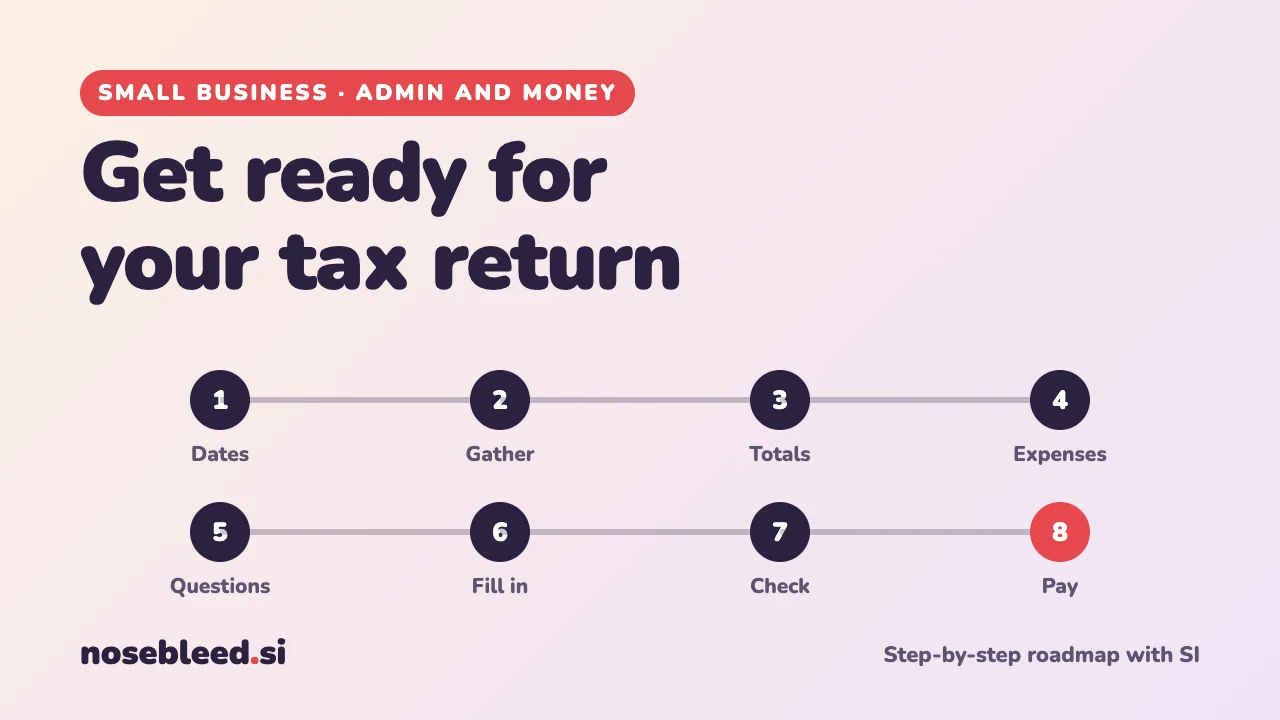
- 🗺️ 8 stages
- ⏱️ A few evenings, less with good records
- 🇬🇧 UK Self Assessment
Before you start
Where SI is a great help
- Explaining tax terms in plain English
- Checklists of what to gather
- Organising your figures into totals
- Questions to look up, or ask an adviser
Where you stay in charge
- Every figure on your return.
- Checking the rules on GOV.UK.
- Keeping tax references out of SI chats.
- Deciding whether you need an accountant.
SI can explain and organise, but it isn't a tax adviser, and it may not know this year's rules. Ask it to explain, not to work out your tax. This page is general information, not tax advice. Before you rely on what SI tells you, see Check what SI tells you.
The roadmap
Know the dates
The UK tax year runs from 6 April to 5 April. For Self Assessment, the usual deadlines are 31 October for paper returns, and 31 January for online returns and paying what you owe. Check GOV.UK for the current dates, and put them in your calendar now.
Stage 1 promptI'm self-employed, doing my first tax return. In plain English, explain the Self Assessment year: the key dates, what "payments on account" are, and what happens if I'm late. Tell me where to check the dates on GOV.UK.
Gather your records
You'll need your business income and expenses for the tax year, plus any other income, such as a job, a pension, savings interest or rent.
Stage 2 promptMake me a checklist of everything a self-employed person should gather before filling in a UK Self Assessment return: business records, other income, and any details HMRC might ask for. Put a tick box by each.
Keeping records through the year makes this much easier. See Keep track of income and expenses.
Add up your totals
Your return asks for totals: income, and expenses by type. If your records are in a spreadsheet, SI can explain how to total them by category.
Stage 3 promptMy records are in a spreadsheet with columns for date, description, category and amount. Explain step by step how to get totals for each category for the tax year, from 6 April to 5 April. Then help me check the totals add up.
Check every total yourself. A small mistake in a formula can change everything.
Understand your expenses
You can usually deduct costs that are only for your business. Costs that are partly personal, such as your phone, car or home, need splitting fairly. There are also simpler flat-rate options for some costs, and a tax-free trading allowance you can use instead of expenses in some cases. GOV.UK explains them all.
Stage 4 promptI'm a self-employed dog walker who works from home and uses my own car. Explain in plain English what kinds of expenses are usually allowed, how to deal with costs that are partly personal, and what the simpler flat-rate options are. Tell me exactly what to search for on GOV.UK to check each one.
List your questions
Write down anything you're unsure about. Then look each one up on GOV.UK, or ask HMRC, or an accountant if you decide you need one. HMRC also has free online guides and webinars for the self-employed.
Stage 5 promptHere are the things I'm unsure about on my tax return: [list them]. For each, explain the question in plain English, and tell me where I'd find the official answer. Don't give me a definite answer if you're not sure.
Fill in the return
Most people file online, through their HMRC online account. Have your totals and records beside you. If a question or screen confuses you, ask SI to explain it, without sharing your personal details.
Stage 6 promptI'm filling in my Self Assessment return online and I'm stuck on this question: [type the question or describe the screen, without your personal details]. What is it asking, in plain English, and what information do I need to answer it?
Never share your tax reference number, National Insurance number or sign-in details with SI. How to hide personal details
Check before you submit
- Figures: do your totals match your records?
- Other income: have you included everything?
- The calculation: does the tax it shows look roughly as you expected? If not, find out why before you submit.
- Copies: save or print a copy of your return and the calculation.
Pay, and plan for next year
Pay by the deadline, and make a note of any payments on account due later in the year. Then make next year easier: put money aside for tax as you earn, and keep your records up to date each week.
Stage 8 promptHelp me plan for next year's tax. My tax bill this year was about £2,000. Suggest a simple way to put money aside each month, and a list of things to do through the year so next year's return is easier. Use only my figure.
Good follow-up questions
Tap a question to copy it.
Watch out for
- Tax answers SI isn't sure of. Rules and allowances change. Always check GOV.UK.
- "Tax refund" texts and emails. HMRC scams are common, especially near deadlines. See Spot scams against business.
- Websites that charge to file your return. Filing through your HMRC online account is free.
See all our small-business guides
Spotted a mistake? Got a suggestion?
Tell us about this page. It helps us make it better for everyone.
Prefer email? Write to us at hello@nosebleed.si. We read every email, though we can't always reply.
Page ref SB-029 · Page last updated 21 November 2026