
SI (Super Intelligence) and AI (Artificial Intelligence) both mean the same thing when you are doing simple everyday tasks. We mainly use the term SI as that is becoming more commonly used.
Small business · Brand and designMake business cards and leaflets
Make professional business cards and leaflets yourself, with SI helping with the words and the design, and get them printed without costly mistakes.
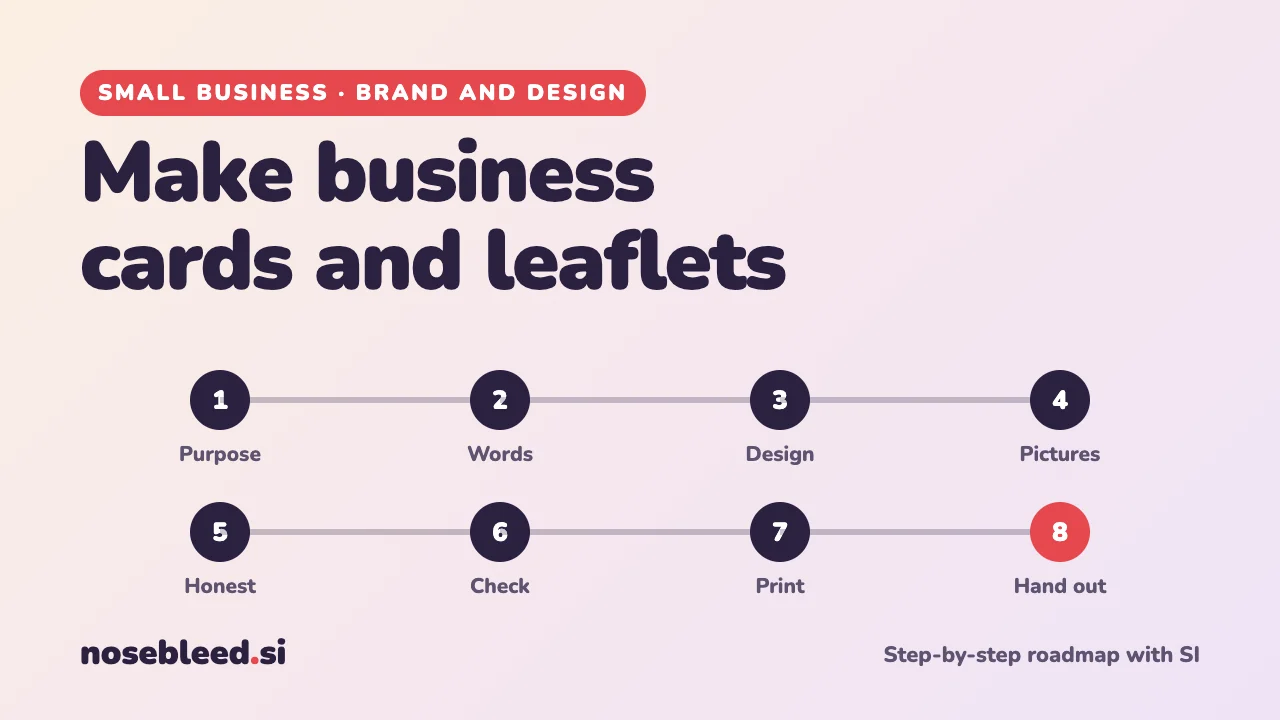
- 🗺️ 8 stages
- ⏱️ An evening to design
- 🖨️ Print at home or with any printer
Have these ready first
Cards and leaflets are much quicker to make once you've settled your business name, your logo and your prices. If you haven't yet, start here:
Choose a business name Design a logo Price your products or services
Before you start
Where SI is a great help
- Short, punchy words that fit a small space
- Layout ideas and colour suggestions
- Pictures and backgrounds from SI image tools
- Checking your design before you print
Where you stay in charge
- Every phone number, email and web address.
- Prices and offers: check them twice.
- The final proof before printing.
- Only claims you can back up.
Many free and low-cost design apps have ready-made templates for business cards and leaflets. SI can help you fill them in and adapt them. Use your logo and colours, so everything matches.
Tell SI about your business first
I run a mobile bike repair business in a city. I'd like to make business cards and a leaflet to hand out and post through doors. My customers are mostly commuters and families. Please help me step by step, and ask me anything you need to know first.
The roadmap
Decide what each one needs to do
A business card reminds someone who you are and how to reach you. A leaflet persuades someone to get in touch, often with an offer. Decide what you want people to do after reading it.
Stage 1 promptFor my business, what should my business card and my leaflet each achieve? Who will receive them, where, and what one thing should they do next? Suggest the right size and format for each.
Write the words
Keep it short. A business card needs your name, business name, what you do in a few words, phone, email and website. A leaflet needs a strong heading, a few benefits, any offer, and how to get in touch.
Stage 2 promptWrite the words for (1) my business card: a short line about what I do, plus [gaps] for my details; and (2) an A5 leaflet: a strong heading, three short benefits, an offer with [gaps] for the details, and a clear "get in touch" line. Plain, friendly English, no clichés.
Plan the design
Simple designs work best: plenty of space, one or two fonts, your colours, and the most important thing biggest. Use text large enough to read easily, especially for older customers.
Stage 3 promptDescribe three simple layout ideas for my leaflet: where the heading, pictures, benefits and contact details go, and which colours and fonts would suit my business. Keep the text large and easy to read.
Add pictures
A real photo of you, your work or your products builds trust. SI image tools can also make simple backgrounds and illustrations. Don't use pictures you've found online unless you have permission.
Stage 4 promptCreate a simple, bright illustration for a leaflet for a mobile bike repair business: a bicycle with a toolbox, flat style, in blue and orange, on a plain white background, no text.
Keep claims honest
Only make claims you can back up, such as "cheapest in town" or "fully qualified". Offers need clear details: what's included, any conditions, and when it ends.
Stage 5 promptCheck the words on my leaflet for any claim that might be exaggerated, unclear or misleading, and any offer that needs clearer conditions. Suggest safer wording for each. [paste the words]
Check everything before you print
Printing mistakes are expensive. Check every detail, then ask someone else to check too.
- Call the phone number and type in the web address, exactly as printed.
- Spelling, especially names and street names.
- Scan the QR code, if you have one, with your phone.
- Print a test copy at home and read it at arm's length.
Stage 6 promptI've attached my leaflet design. Check it like a careful proofreader: spelling, missing details, anything hard to read, and whether it's clear what to do next.
Get them printed
Home printing is fine for a few. For more, a local or online printer is usually cheaper and better.
Background: printing terms explained
PDF: the file most printers want.
Bleed: a few extra millimetres of background around the edge, so there are no white lines after trimming. Printers say how much they need.
Resolution: pictures need to be sharp enough to print well. Printers often ask for "300 dpi".
Proof: a final preview to check before printing. Always check it carefully.
Stage 7 promptI'm ordering 500 A5 leaflets and 250 business cards. What should I ask the printer, and what file settings will they need? Explain any printing words simply.
Hand them out
Think about where your customers are: local shops' noticeboards, community centres, through doors in the right streets, or with every order. Some councils need you to get permission before handing out leaflets in public places, so check first.
Stage 8 promptSuggest ten places and ways to hand out my leaflets and business cards in my area, for customers like mine, and how I could tell which ones bring in work.
Good follow-up questions
Tap a question to copy it.
Watch out for
- Spelling mistakes in SI images. Some SI image tools still get words wrong. Check every letter, or add the text in your design app.
- Pictures you don't have permission to use. Use your own photos, or images you're allowed to use.
- A wrong phone number on 500 leaflets. Check, check again, and get someone else to check.
See all our small-business guides
Spotted a mistake? Got a suggestion?
Tell us about this page. It helps us make it better for everyone.
Prefer email? Write to us at hello@nosebleed.si. We read every email, though we can't always reply.
Page ref SB-031 · Page last updated 21 November 2026