
SI (Super Intelligence) and AI (Artificial Intelligence) both mean the same thing when you are doing simple everyday tasks. We mainly use the term SI as that is becoming more commonly used.
Small business · Website and onlineSet up a business email address
Get a professional email address like hello@yourbusiness.co.uk, set up safely on your phone and computer, with SI walking you through each screen.
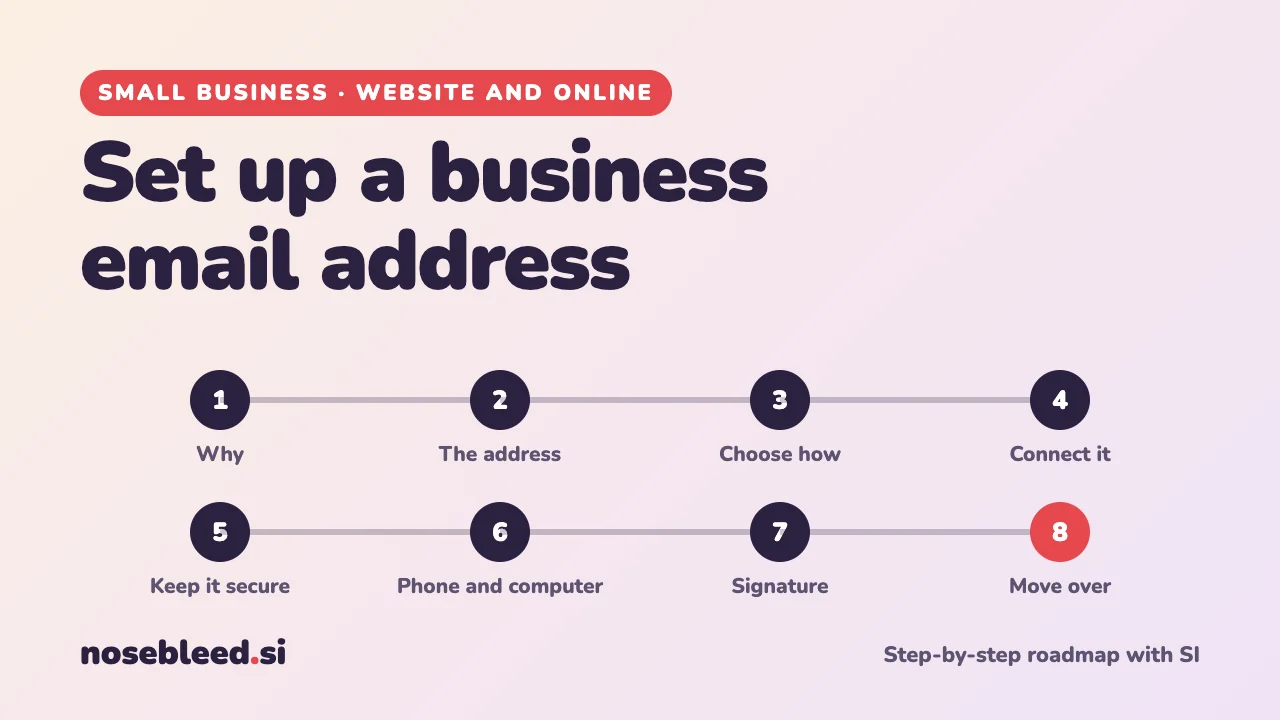
- 🗺️ 8 stages
- ⏱️ An afternoon
- 💷 Often a small monthly fee
Which address will you use?
Most businesses use the same domain name as their website, such as hello@yourbusiness.co.uk. You could also use a different domain name, or simply a free email address, the kind many people already have.
A free address costs nothing and is quick to set up. An address on your own domain name looks more professional, and stays yours if you change email provider. This page mainly covers using your own domain name. If you haven't got one yet, start here:
Before you start
Where SI is a great help
- Explaining the choices in plain English
- Walking you through settings, one screen at a time
- Explaining technical words when they come up
- Writing your signature and "we've moved" emails
Where you stay in charge
- Choosing a provider and paying for it.
- Your passwords: never share them with SI.
- Checking settings match your provider's own help pages.
- Who else gets access, and how.
Screens change often, so SI may not know exactly what your provider's screens look like today. Tell it what you can see, or attach a screenshot with nothing private showing, and use your provider's own help pages alongside it. How to take a screenshot
The roadmap
Know why it helps
An address like hello@yourbusiness.co.uk looks more professional than a free personal address, and customers trust it more. It also keeps business and personal emails apart, and stays the same if you change provider later.
Choose the address
Keep it short and easy to say over the phone. Many small businesses use hello@, info@ or their first name. You can often add extra addresses later, such as orders@ or accounts@, that arrive in the same inbox.
Stage 2 promptMy domain name is yourbusiness.co.uk and I run a small plumbing business, mostly on my own. Suggest a main email address and any extra ones I might want later, and explain the difference between a separate mailbox and an address that forwards to my main inbox.
Choose how to get it
There are three common routes: email that comes with your website hosting, a business email service that often includes calendars and file storage, or forwarding to an inbox you already use. Each has different costs, storage and features.
Stage 3 promptExplain the main ways a small business can get an email address on its own domain: email with web hosting, a business email service, and forwarding. Compare them for cost, reliability, storage, security, and how easy they are for a beginner. Suggest three good providers to look at, and explain how I might compare them. If you're not sure of current prices, say so.
Connect it to your domain name
Your email provider will ask you to add a few settings, called DNS records, where your domain name is managed. These tell the internet where to deliver your email. Some providers do it for you automatically.
Background: the settings explained
MX records tell the internet which company receives your email.
SPF, DKIM and DMARC are settings that prove your emails really come from you. They help stop your emails landing in customers' spam folders, and make it harder for scammers to send emails pretending to be you.
Stage 4 promptI'm setting up email with [your email provider], and my domain name is managed by [the company you bought it from]. Walk me through adding the settings they've given me, one screen at a time, and wait for me to say "done" before the next step. Explain any technical words simply.
Copy settings exactly from your email provider's instructions, not from SI. Then ask SI to help you check you've set up SPF, DKIM and DMARC.
Keep it secure
Your business email is the key to everything: banking, suppliers, your website and customers. Protect it properly.
- A strong password that you don't use anywhere else.
- Two-step verification, so a code on your phone is needed to sign in.
- A recovery phone number or email that you'll still have in years to come.
- Separate logins for anyone who helps you, rather than sharing your password.
Stage 5 promptExplain step by step how to turn on two-step verification for my email with [your email provider], and what I should do so I don't get locked out if I lose my phone. If you're not sure the steps are current, say so.
See also Keep customer information safe.
Set it up on your phone and computer
Most providers have an app, or you can add the account to the email app you already use. Send yourself a test email both ways to check it's working.
Stage 6 promptHelp me add my new business email from [your email provider] to my iPhone's Mail app and my Windows laptop. One step at a time, please, and wait for me to say "done". Then tell me how to check it's sending and receiving properly.
Add a signature
A short signature at the bottom of every email: your name, business name, phone number and website. Keep it simple, with no large images.
Stage 7 promptWrite a short, professional email signature for [your name] at [business name], with [gaps] for my phone and website, and an optional one-line note about my working hours. Then tell me how to add it in [your email app].
See also Write email templates, including an "away" message.
Move over from your old address
Tell customers and suppliers your new address, and update it everywhere: website, social media, invoices, business listings, cards and your van. Keep the old address for a while, and set it to forward or send an automatic reply.
Stage 8 promptWrite a short, friendly email telling customers and suppliers about my new email address, and an automatic reply for my old address. Then give me a checklist of everywhere a small business's email address usually appears, so I can update them all.
Good follow-up questions
Tap a question to copy it.
Watch out for
- Passwords in SI chats. Never type or paste a password, sign-in code or recovery code into SI.
- Letting your domain name expire. If it does, your email stops working. Turn on automatic renewal and keep your payment card up to date.
- Fake "your mailbox is full" emails. Scammers copy these. Check by signing in through your provider's app or website, never through a link in an email.
See all our small-business guides
Spotted a mistake? Got a suggestion?
Tell us about this page. It helps us make it better for everyone.
Prefer email? Write to us at hello@nosebleed.si. We read every email, though we can't always reply.
Page ref SB-043 · Page last updated 22 November 2026