
SI (Super Intelligence) and AI (Artificial Intelligence) both mean the same thing when you are doing simple everyday tasks. We mainly use the term SI as that is becoming more commonly used.
Small business · Website and onlineImprove the words on an existing website
Turn the words on your current website into clear, friendly pages that sound like you, and help visitors decide to get in touch or buy.
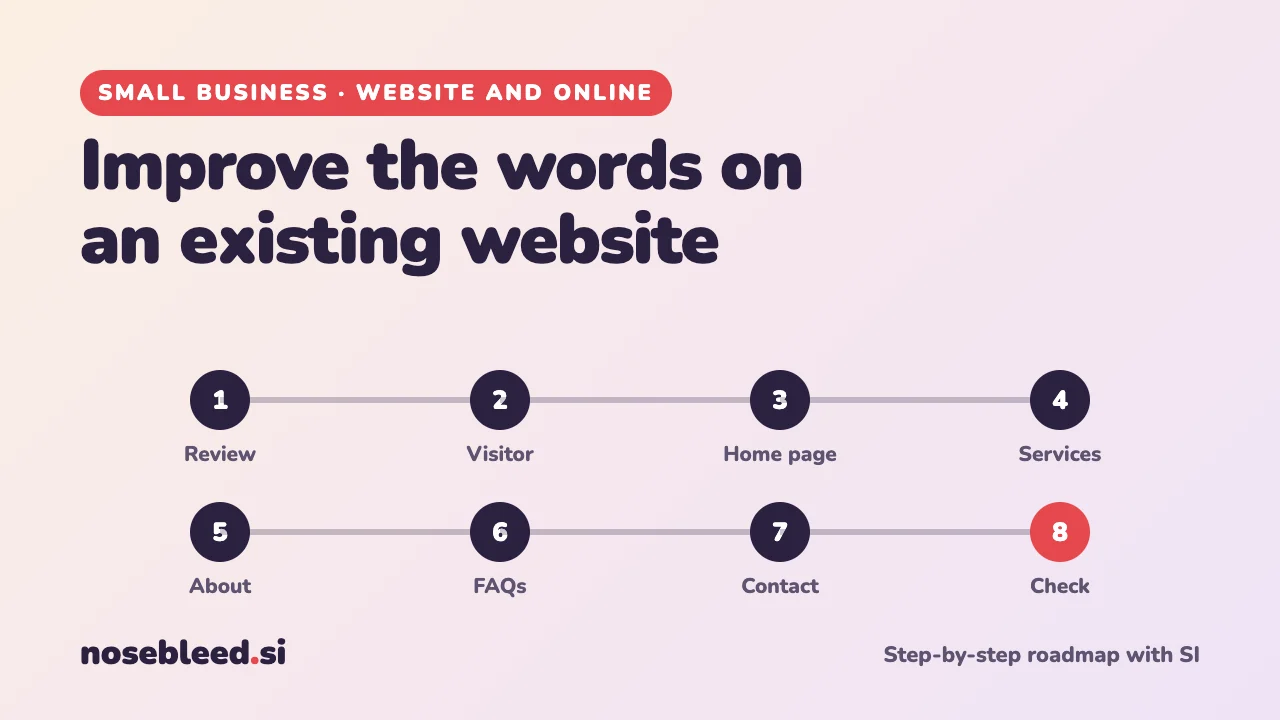
- 🗺️ 8 stages
- ⏱️ An hour or two per page
- ✍️ Works with any website
Don't have a website yet?
This page is for improving a website you already have. To make a new one, from choosing a web address to going live, follow our full roadmap instead.
Before you start
Where SI is a great help
- Seeing your pages through a new visitor's eyes
- Making long, muddled text clear and short
- Removing jargon and clichés
- Better headings and page titles
Where you stay in charge
- Every fact, price and promise.
- Your story and your voice.
- Real reviews only, word for word.
- Reading every page before it goes live.
Copy the words from a page of your website and paste them into SI, one page at a time. How to copy and paste
Tell SI about your business first
I run a small picture framing shop in a market town. My customers are mostly local people framing family photos, artwork and certificates. I already have a website, but I'd like to improve the words, page by page, in a warm, plain style that sounds like me. Please ask me anything you need to know first.
The roadmap
Review what you have
Start with an honest look at your current pages. Which are out of date, too long, or never visited? Most small-business websites work best with a few clear pages: Home, Services or Products, About, Questions, and Contact.
Stage 1 promptHere are the pages on my website and roughly what's on each: [list them]. Which should I keep, combine, add or remove? For each page I keep, what's its main job, and what should a visitor do next?
See it as a visitor would
Visitors arrive with a question: can you help me, how much, and how do I get in touch? If your pages don't answer those quickly, in the visitor's words, they leave.
Stage 2 promptHere's my home page: [paste the words]. Read it as a first-time visitor on a phone. In ten seconds, would you know what I do, where, and how to get in touch? What's confusing, too long, or missing? Be honest.
Improve the home page
Your home page should say in a few seconds what you do, where, and for whom, then show why people choose you and how to get in touch.
Stage 3 promptRewrite my home page: a clear heading that says what I do and where, one or two sentences on why people choose me, three short reasons with headings, and a clear "get in touch" line. Under 200 words. Keep my facts exactly as they are, and don't add any new ones.
Improve your services or products pages
For each service, make sure it says what it is, who it's for, what's included, how pricing works, and how long it takes.
Stage 4 promptHere's my services page: [paste the words]. Make each service clearer: what it is, who it's for, what's included, and how pricing works. Plain, friendly English. Tell me anything a customer would want to know that's missing, rather than making it up.
Selling products? See Write product descriptions.
Freshen up your About page
People like to know who they're dealing with. A good About page says who you are, how you started and what you care about, and links it to what it means for the customer. Update it if things have changed.
Stage 5 promptHere's my About page: [paste the words]. Make it warmer and more personal, in my voice, and about 200 words. Ask me one or two questions if it would help. Use only what I've told you: don't invent any details.
Add or improve your questions and answers
A short page of questions and answers saves you time and reassures visitors. Add the questions customers really ask, especially new ones.
Stage 6 promptHere are the questions customers ask me most, with my answers: [paste them]. Turn them into a clear questions and answers page, with short, friendly answers. Mark any answer that needs a real price or date with [CHECK].
See also Reply to customer enquiries.
Make contacting you easy
Your contact page should give every way to reach you, your opening hours, the area you cover, and what happens after someone gets in touch. A short line inviting people to get in touch belongs at the end of every page too.
Stage 7 promptHere's my contact page: [paste the words]. Make it friendlier and clearer, and say what happens after someone gets in touch. Then write five short "get in touch" lines I could add to the end of my other pages.
Check every page before you publish
- Facts: prices, hours, phone numbers and promises.
- Honesty: no claims you can't back up, and only real reviews.
- Easy to read: short sentences and paragraphs, and clear headings.
- Page titles and descriptions: say what you do and where. See Get found in local searches.
- Privacy notice: needed if you collect personal information. See Keep customer information safe.
Not sure how to change the words on your website? Ask SI for step-by-step help with your website builder, or attach a screenshot of the screen you're stuck on. How to take a screenshot
Good follow-up questions
Tap a question to copy it.
What a good answer looks like
Picture framing in [town], done by hand
From family photos to treasured artwork, we'll help you choose a frame that suits it, and make it in our workshop.
- Friendly advice: bring it in, and we'll show you a few options.
- Made here: every frame is cut and finished in our workshop.
- Usually ready in [number] days.
Pop in, or call us on [number] for a free quote.
Why it's good: it says what, where and for whom straight away, gives three clear reasons, and ends with an easy next step. The [gaps] are for your own details.
See all our small-business guides
Spotted a mistake? Got a suggestion?
Tell us about this page. It helps us make it better for everyone.
Prefer email? Write to us at hello@nosebleed.si. We read every email, though we can't always reply.
Page ref SB-026 · Page last updated 21 November 2026